
Agentic development is transforming WordPress plugin creation. Over the past year, I’ve built every plugin using supervised agentic development, not AI alone, but AI under my supervision. These plugins now run on enterprise WordPress sites with zero critical issues. The result? 10x faster development, higher quality code, and complete control. Here’s why agentic development is about to become non-negotiable for WordPress developers, and exactly how to set up your environment today.
Table of Contents
- The Problem: WordPress Development Is Too Slow
- Why “Just Use AI” Isn’t the Answer
- What Is Agentic Development?
- The Objections (And Why They’re Wrong)
- The Right Way: Supervised Agentic Development
- The Tools You Need
- Real-World Example: Building a Plugin with Supervision
- The Evidence: What I’ve Learned from a Year of Agentic Development
- How to Get Started Today
- What This Means for Your Business
- The Skills Revolution (What’s Coming Next)
- Your Next Steps
- Resources and Further Reading
The Problem: WordPress Development Is Too Slow
Let’s talk about what’s actually happening in WordPress development right now.
You’ve got a client who needs a custom plugin. Maybe it’s a membership system, a booking tool, or a complex integration with a third-party API. You know exactly what needs to be done, but you’re looking at days or weeks of work:
- Writing boilerplate code
- Setting up database tables
- Creating admin interfaces
- Building REST API endpoints
- Writing tests
- Debugging edge cases
And the worst part? You’re probably copying and pasting code from your previous projects, tweaking variable names, and hoping you didn’t miss anything. It’s slow, it’s error-prone, and it’s boring.
Meanwhile, your competitors are using AI to do in hours what takes you days. The gap is widening every single day.
Why “Just Use AI” Isn’t the Answer
Before you think I’m telling you to just throw everything at ChatGPT and ship whatever comes out, hold on.
I’ve seen what happens when developers, especially junior ones, treat AI like a magic code-printing machine. They get code that works… until it doesn’t. Then they have no idea how to fix it because they never understood what they were building in the first place.
This is what I wrote about in my post on vibe coding. There’s a massive difference between using AI as a crutch and using it as a power tool.
The real answer is supervised agentic development: AI handles the repetitive work, but you’re the architect, the reviewer, and the quality control. Every single line of code gets read by you. Every decision gets validated. Nothing gets deployed before local testing.
What Is Agentic Development?
Agentic development means giving AI agents specific tasks within a controlled environment, where they can:
- Read your existing codebase
- Understand your WordPress site structure
- Generate code based on your requirements
- Test what they create
- Iterate based on feedback
The key word here is supervised. You’re not handing over control; you’re delegating execution while maintaining oversight.
Think of it like this: instead of typing every line of code yourself, you’re describing what you want in plain language, reviewing the AI’s work, and making corrections. It’s like having a junior developer who types at 1000 words per minute but still needs your guidance.
The Objections (And Why They’re Wrong)
I hear the same concerns every time I talk about this approach:
“It’s too expensive.”
No, it’s not. Here’s the math: if you’re billing $100/hour and AI cuts your development time from 40 hours to 4 hours, you’ve saved $3,600 in time. Even if the AI tools cost $200/month, you’ve made that back in a few hours. The ROI is instant.
“It’s too complex.”
That’s what this post is for. I’m going to show you exactly how to set it up. If you can configure a WordPress site, you can configure this.
“AI doesn’t work out of the box.”
You’re right; if you just ask ChatGPT to “build me a plugin,” you’ll get garbage. But when you give AI the right tools (like the WordPress MCP server), the right context, and the right supervision, it absolutely works.
“AI makes mistakes.”
Yes, it does. So do humans. The difference is that with supervised usage and the right tools, AI mistakes are caught before they become problems. You review every line. You test locally. You validate the logic. The AI isn’t making the final decisions; you are.
“It’s not reliable.”
I’ve been doing this for a year. Every plugin I’ve built with AI assistance is running in production right now, on enterprise WordPress sites, without issues. The reliability comes from the supervision, not from the AI being perfect.
The Right Way: Supervised Agentic Development
Here’s how this actually works in practice:
1. Small Steps at a Time
Don’t ask the AI to build an entire plugin in one go. Break it down:
- “Create the plugin boilerplate”
- “Add a custom post type for bookings”
- “Build the admin settings page”
- “Create the REST API endpoint”
Each step is manageable, reviewable, and testable.
2. Read Every Line
I mean it. Every single line of code that AI generates, you read it. If you don’t understand something, ask the AI to explain it. This isn’t just about catching errors. It’s about learning and maintaining full understanding of your codebase.
3. No Auto-Deploy
Nothing goes live without local testing first. The AI can generate code, it can even run tests, but you’re the one who validates that it actually works in a real environment.
4. Use AI to Test What Was Done
Here’s a powerful trick: after the AI generates code, ask it to write tests for that code. Then review the tests. This gives you two layers of validation.
5. Look at Results Thoroughly
Don’t just check if the code runs. Check if it’s secure, if it follows WordPress coding standards, if it’s performant, if it handles edge cases. The AI can help with this too; ask it to review its own code for security issues.
The Tools You Need
Let me be specific about what you need to set up your supervised agentic development environment:
1. Claude Code or OpenCode
These are coding agents built specifically for supervised development. They can read your codebase, make changes, run tests, and iterate. They’re not just code completion; they’re full development partners.
2. VS Code
Your IDE stays the same. These tools integrate with VS Code, so you’re working in a familiar environment.
3. WordPress MCP Server
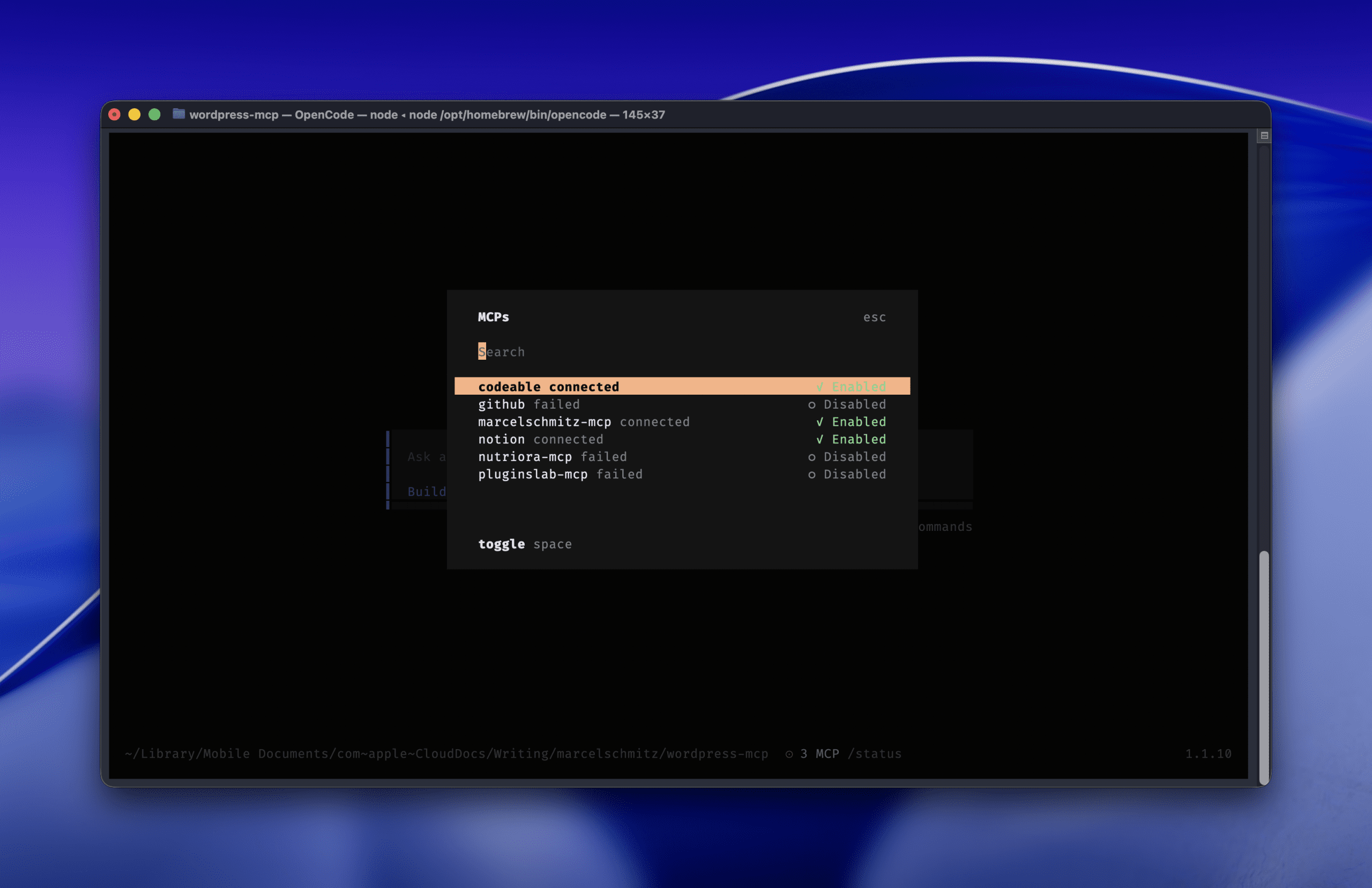
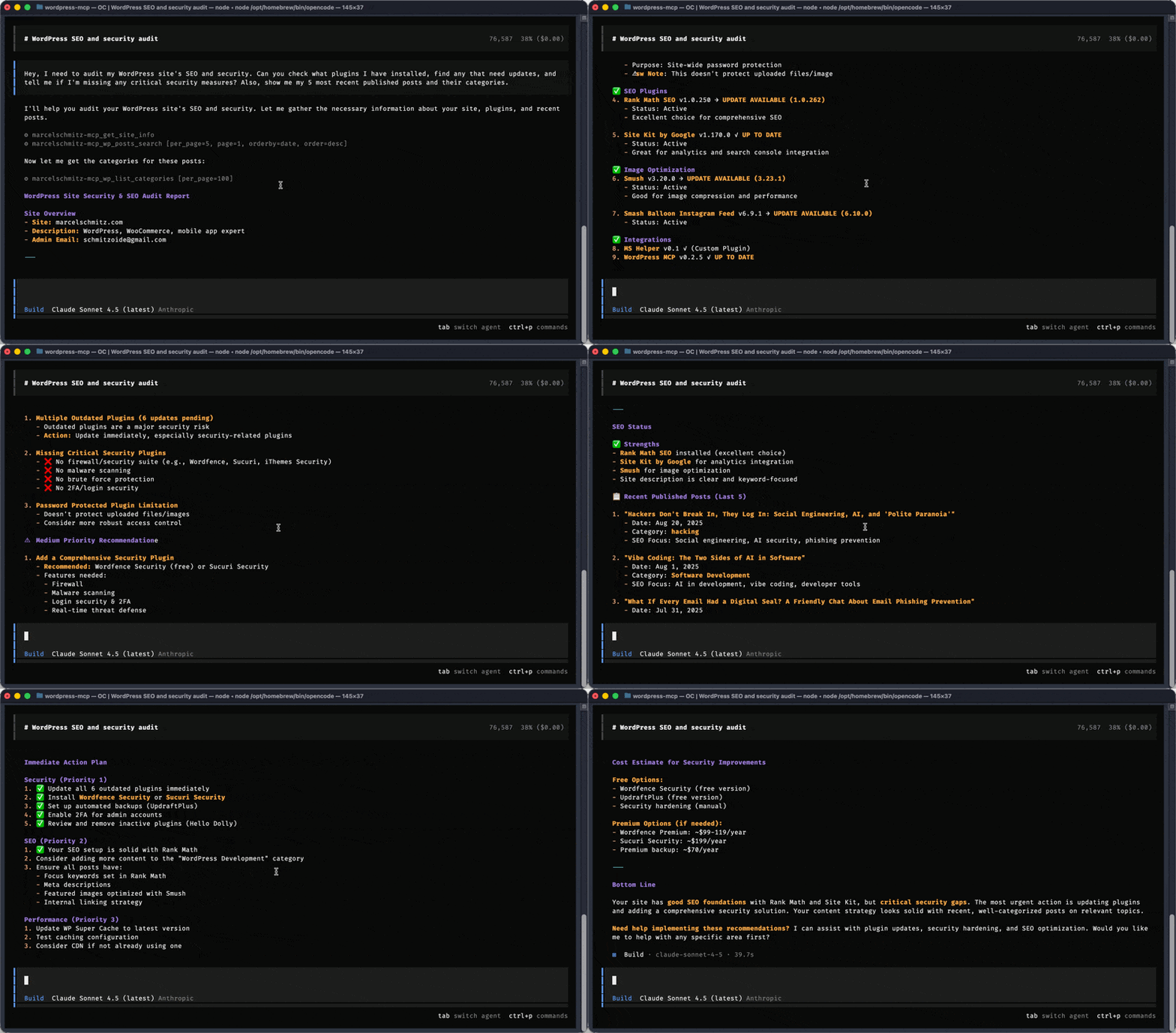
This is the game-changer for WordPress development. The Model Context Protocol (MCP) server gives AI direct access to your WordPress site’s data: posts, pages, users, plugins, settings, everything.
Here’s how to connect to a WordPress site using the MCP server in your OpenCode config:
"pluginslab-mcp": {
    "type": "local",
    "command": ["npx", "-y", "@automattic/mcp-wordpress-remote@latest"],
    "environment": {
        "WP_API_URL": "https://pluginslab.com",
        "JWT_TOKEN": "XXXX"
    }
}
Replace WP_API_URL with your WordPress site URL and JWT_TOKEN with your authentication token. Now the AI can fetch site data, create posts, update plugins, and test changes. All while you supervise.
4. A Staging Environment
Never test on production. The MCP server should point to a staging site where you can safely test and validate before pushing live.
5. Agent Skills (Coming Soon)
Skills are pre-built workflows that teach AI agents how to handle specific WordPress tasks. Think of them as recipes: “how to create a custom post type,” “how to add a settings page,” “how to integrate with WooCommerce.” We’ll be writing about these in future posts.
Real-World Example: Building a Plugin with Supervision
Let me walk you through a real example of how this works.
Scenario: A client needs a custom booking plugin for their WordPress site.
Traditional approach: 2-3 weeks of development.
Supervised agentic approach: 2-3 days.
Here’s the process:
- I describe the requirements to the AI in plain language: “We need a booking system with custom post types, a calendar view, email notifications, and WooCommerce integration.”
- The AI asks clarifying questions and proposes an architecture. I review and approve.
- The AI generates the plugin boilerplate. I review the file structure and code standards.
- Step by step, the AI builds each feature. After each step, I read the code, test locally on my staging site (connected via MCP), and either approve or request changes.
- The AI writes tests for each component. I review the test coverage.
- I manually test the full workflow on staging before deployment.
Total time saved: 85%. Quality: Higher than manual development because every line got reviewed and tested.
The Evidence: What I’ve Learned from a Year of Agentic Development
Here’s what I can tell you from real experience:
- All plugins I’ve built with AI in the last year are running on enterprise WordPress installations
- Zero critical issues in production
- Development time reduced by approximately 10x for most projects
- Code quality is higher because supervision forces thorough review
- I’ve learned more in the last year than in the previous five, because teaching AI forces you to understand concepts deeply
The key insight: consistency. AI doesn’t get tired, doesn’t forget coding standards, doesn’t skip documentation. With the right tools and supervision, it produces more consistent code than humans working manually.
How to Get Started Today
Ready to try this? Here’s your step-by-step action plan:
Step 1: Install Claude Code or OpenCode
Choose your coding agent:
- Claude Code (commercial, from Anthropic)
- OpenCode (open-source alternative)
Both integrate with VS Code and support MCP servers.
Step 2: Set Up the WordPress MCP Server
- Install the WordPress MCP server:
npx -y @automattic/mcp-wordpress-remote@latest - Configure your WordPress site for API access (you’ll need JWT authentication)
- Add the MCP configuration to your coding agent (see the config example above)
Full documentation: WordPress MCP Server on GitHub
Step 3: Build Your First Test Plugin
Don’t start with a client project. Start with something simple:
- A plugin that adds a custom post type
- A simple admin settings page
- A REST API endpoint that fetches post data
This lets you learn the workflow without pressure.
Step 4: Deploy to Your Staging Site
Use the MCP connection to deploy your test plugin to staging. Validate that everything works. Break things. Learn how to debug with AI assistance.
Step 5: Scale Up
Once you’re comfortable with the basics, try a real project. Start small, maintain supervision, and build your confidence.
Supervised Agentic Workflow:
┌─────────────────────────────────────────────────────────────┐
│              SUPERVISED AGENTIC WORKFLOW                    │
└─────────────────────────────────────────────────────────────┘

    ┌──────────────────┐
    │  1. DESCRIBE     │
    │     TASK         │  ← You define requirements
    └────────┬─────────┘
             │
             ↓
    ┌──────────────────┐
    │  2. AI GENERATES │
    │      CODE        │  ← AI writes code
    └────────┬─────────┘
             │
             ↓
    ┌──────────────────┐
    │  3. DEVELOPER    │
    │     REVIEWS      │  ← You read & validate every line
    └────────┬─────────┘
             │
             ↓
    ┌──────────────────┐
    │  4. LOCAL        │
    │     TESTING      │  ← Test on staging via MCP
    └────────┬─────────┘
             │
      ┌──────┴──────┐
      │             │
   Issues?       All good?
      │             │
      └──> FIX ─────┘
             │
             ↓
    ┌──────────────────┐
    │  5. DEPLOY TO    │
    │    PRODUCTION    │  ← Ship with confidence
    └──────────────────┘

Key Principle: YOU maintain control at every step.
What This Means for Your Business
Let’s talk bottom line:
For freelancers and agencies:
- 10x faster development means you can take on more clients or charge premium rates for fast turnaround
- Consistent quality means fewer support issues and happier clients
- Less time on boring tasks means more time for high-value strategy and consulting
For in-house developers:
- Ship features faster and make your team look like rockstars
- Reduce technical debt through consistent, reviewed code
- Free up time for architecture and innovation
For business owners:
- Get products to market faster
- Reduce development costs without sacrificing quality
- Build a competitive advantage while others are still debating whether to adopt AI
The Skills Revolution (What’s Coming Next)
I mentioned agent skills earlier. This is the next evolution: pre-built workflows that teach AI agents best practices for specific WordPress tasks.
Imagine having access to a library of skills like:
- “Build a WooCommerce product import system”
- “Create a membership plugin with payment integration”
- “Set up multisite network with custom subdomain routing”
Each skill encodes expert knowledge, coding standards, and testing procedures. You’ll be able to combine skills like LEGO blocks to build complex systems in hours instead of weeks.
We’ll be diving deep into skills in upcoming posts, so stay tuned.
Your Next Steps
Here’s what I want you to do right now:
- Set up your environment following the steps above
- Build one test plugin using supervised agentic development
- Deploy it to your staging site and validate that it works
That’s it. Just prove to yourself that this works. You’ll be amazed at how much faster you can move.
And if you get stuck or want to discuss this approach, reach out to me. I’m always happy to help fellow WordPress developers level up.
Resources and Further Reading
Official Documentation:
- WordPress MCP Server (GitHub)
- OpenCode MCP Servers Documentation
- WordPress Abilities API
- WooCommerce MCP Documentation
- GitHub MCP Server
Related Posts:
- Vibe Coding: The Two Sides of AI in Software – Understanding the difference between AI as a crutch vs. a power tool
Security Considerations:
- Hackers Don’t Break In, They Log In: Social Engineering and AI – Why security matters even more when using AI tools
Need Expert Help?
If you’re looking for a WordPress developer who understands supervised agentic development and can help you implement this approach for your business, I recommend Codeable. They vet their developers for both technical skill and professional integrity.
Affiliate Disclosure: This is a link to Codeable, a platform I’ve worked on for almost 10 years. I trust every expert they onboard. The link assigns me as a referrer for the platform.
Reading time: ~12 minutes
Leave a Reply