A Real Linux in My Pocket: iSH+ on the iPhone
iSH+ runs a real Linux kernel on iPhone and iPad, in a VM with JIT. SSH, tmux and Claude Code sessions from your pocket, YubiKey included.
My son Johnny built iSH+, a fork of iSH that boots a real Linux kernel on iPhone and iPad inside QEMU, with JIT. It runs Ubuntu, Arch, Fedora and a dozen other distributions, and even x86 programs. I use it to attach to my Claude Code sessions on my home servers from my phone, with my YubiKey tapped on the back of it.
On Tuesday Johnny installed something on my phone and handed it back. "It's Ubuntu," he said. He meant it: Ubuntu 26.04 on a Linux 6.18 kernel, with apt, compilers and everything else that comes with it.
That evening I was typing cc-super on the sofa, picking a tmux session with the arrow keys, and talking to Claude Code on my server.
He built it in about a day.
Table of Contents
- Not an emulator of Linux, the real kernel
- What you can do with it
- What I would build on it
- Why it matters if you live in tmux and Claude Code
- How Johnny built it in a day
- What we got wrong
- Install it
- How to help
Not an emulator of Linux, the real kernel
The original iSH is a clever piece of work. It emulates an x86 processor and translates Linux system calls into iOS ones, one by one. Most of the time that works. When a program needs a system call iSH has not implemented, it doesn't, and the program fails in ways that are hard to explain.
iSH+ takes the other road. It runs QEMU inside the app, boots an actual arm64 Linux kernel, and lets the kernel do what kernels do. Programs see a genuine Linux system, because they are running on one.
Mainly frustration with the original iSH, and I also wanted to get other distros running on my devices.
That was Johnny's answer when I asked him why. He started out adding features to iSH, then decided to turn it into a full virtual machine instead.
The catch is JIT. QEMU is only fast when it can generate machine code at runtime, and iOS only allows that for apps a debugger is attached to. The App Store doesn't allow it at all, so iSH+ is sideloaded, and it attaches a debugger to itself to switch JIT on. No computer needed.
What you can do with it
Most of what you would do on a Linux box:
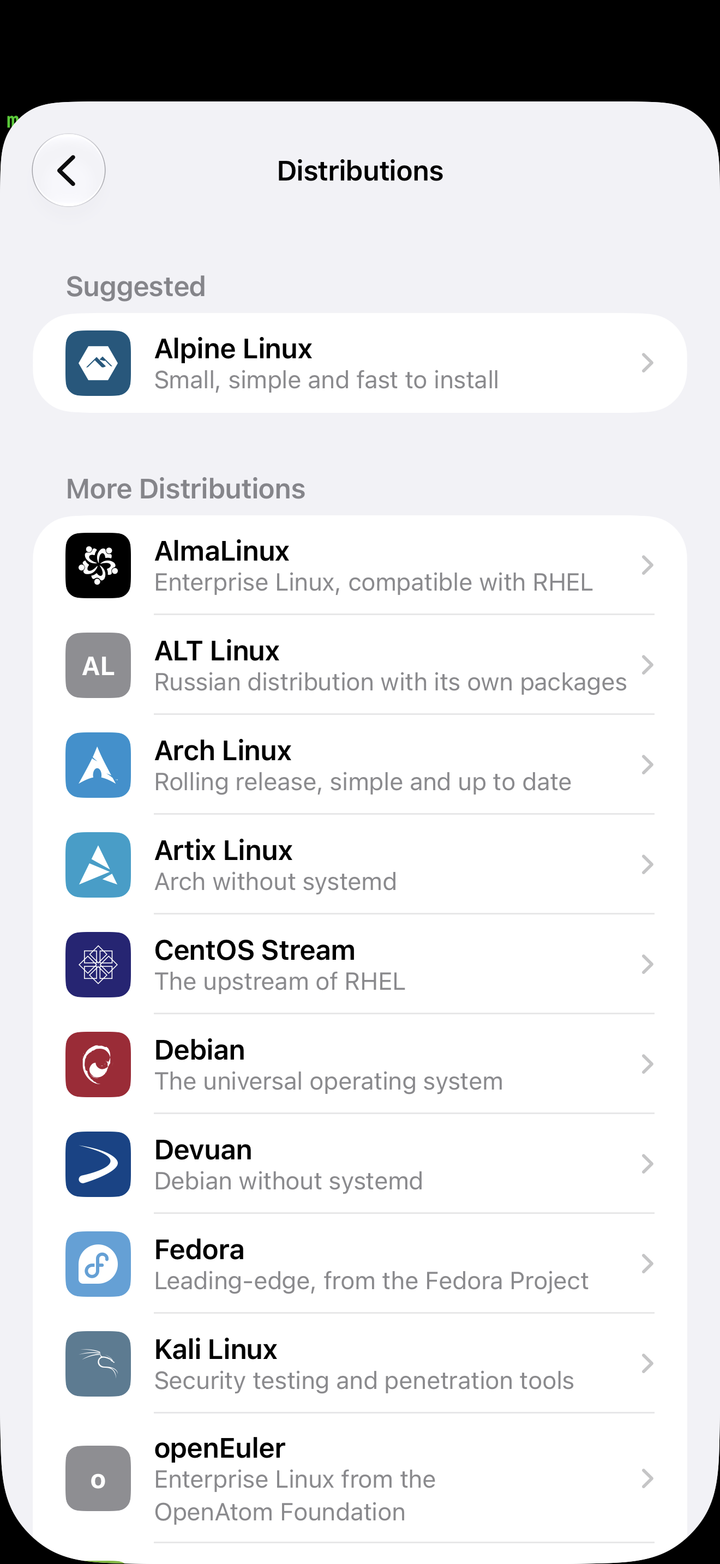
- Pick a distribution. Alpine, Debian, Ubuntu, Arch, Fedora, openSUSE, Void, Kali, Rocky and more, downloaded inside the app, each with its own user account.
- Install real packages. On my iPhone,
apt install build-essentialtook 27 seconds and compiling a small C program took one. - Run x86_64 programs. FEX is built in:
apt-x86 install <package>andx86 <command>. A shell loop that took 5.5 seconds natively took 13.5 under x86 emulation, which is better than I expected from a phone. - Open your servers in Safari. Start a dev server in Linux and it's at
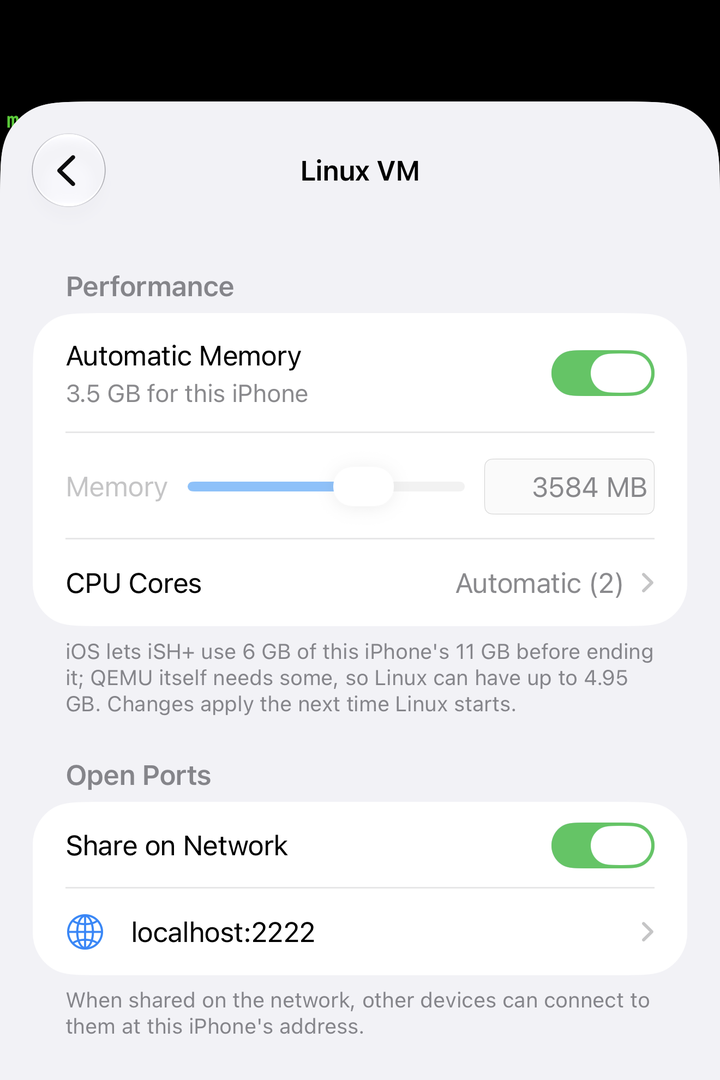
localhost:<port>on the device, or on your network if you share the port. - Use it with iOS.
~/iOSis the iSH+ folder in the Files app,pbcopyandpbpasteuse the iOS clipboard, and Shortcuts can run commands in Linux. - Stay on your VPN. Tailscale works inside Linux, MagicDNS names included.
The terminal is SwiftTerm, with several sessions, themes, mouse support and proper external keyboard handling.
What I would build on it
A list of features undersells it. With a real Linux on it, the phone stops being only a screen in front of your servers. It becomes a small server you carry. Here is what I would point Claude Code at. Some of these I have tried, most are ideas, and every one runs on things iSH+ already does.
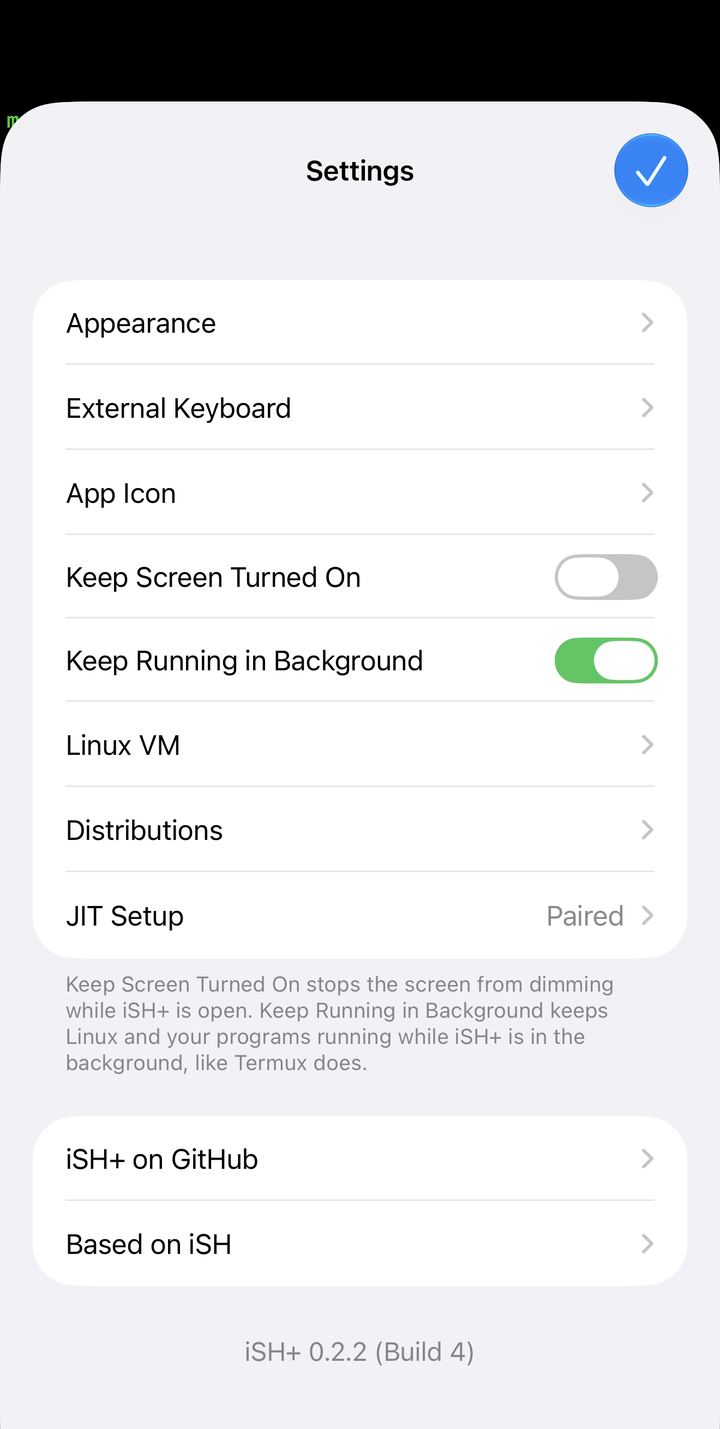
One honest constraint first. iOS decides when apps run. With "Keep Running in Background" on, Linux keeps going while you use other apps, but iOS can still close iSH+ when it needs the memory. Think "service while I need it", not "server with five nines".
A private app that never leaves the phone
Ask Claude to vibe code a small web app: a FastAPI or Node service with SQLite, a page or two of HTML. Run it in iSH+ and open localhost:8000 in Safari, or add it to the home screen.
A journal, a habit tracker, a dashboard over your own CSV exports in ~/iOS, a tool for one client. No App Store review, no hosting, no account, and the data sits in a file on your phone. When you want it on another device, share the port over Tailscale.
A mock backend for the iOS app you are building
Other apps on the device can reach Linux on localhost. So the API your iOS app talks to can run next to it: a mock server with canned responses, a copy of your real backend in a plain Python or Node process, or a webhook receiver you can watch with tail -f.
Testing offline flows, slow responses or error codes on a real device stops needing a laptop on the same Wi-Fi.
A device check for your web app
This is the one I keep thinking about. Say you run an internal tool, an admin panel or a dashboard, and a stolen session cookie is your worst case. You want the session to be valid only while a specific device says so.
On the server, the app issues a challenge. On the phone, a small service in iSH+ holds a key, signs the challenge, and answers over Tailscale. No answer, no session. Make it stricter and the signature comes from the YubiKey: iSH+ exposes the NFC reader to Linux as a FIDO device, so fido2-assert and libfido2 work for anything, not only ssh. A login, or a sensitive action, then needs the phone and a tap.
Browsers are getting a standard for this kind of binding, Device Bound Session Credentials, and for public sites that is the right tool. For your own internal tools, a weekend with Claude Code and a phone you already carry gets you most of the way.
Shortcuts that run real Unix tools
The Run Command action in Shortcuts sends a command to Linux and gets the output back. That makes the whole Linux toolbox available to Siri, the share sheet and automations.
Resize and strip metadata from a batch of photos with ImageMagick. Convert a video with ffmpeg. Run jq over an API response and drop the result on the clipboard with pbcopy. Trigger a deploy script with your voice, if you like living dangerously.
An ops kit in your pocket
kubectl, terraform, ansible, psql, your own scripts, on Tailscale. Some vendor CLIs only ship x86_64 Linux builds; with FEX they run anyway. When something breaks on a Saturday, the phone is enough to look, and sometimes enough to fix.
A safe place to learn
Every distribution, a disk you can grow, delete and start again. Break an Arch install, learn systemd units on Fedora, practise the networking you only half remember, on a train. Nothing you do there touches your real machines.
Why it matters if you live in tmux and Claude Code
My Claude Code work doesn't run on my laptop. It runs on a server at home, in named tmux sessions that survive me closing the lid. I wrote about finding lost sessions and keeping track of their tabs before; the sessions are the unit of work.
What I always wanted was to check on them from my phone without opening the laptop. The iOS SSH apps get close, but they are SSH apps. I couldn't run my own scripts in them.
With a real Linux on the phone, my setup came over almost as it is:
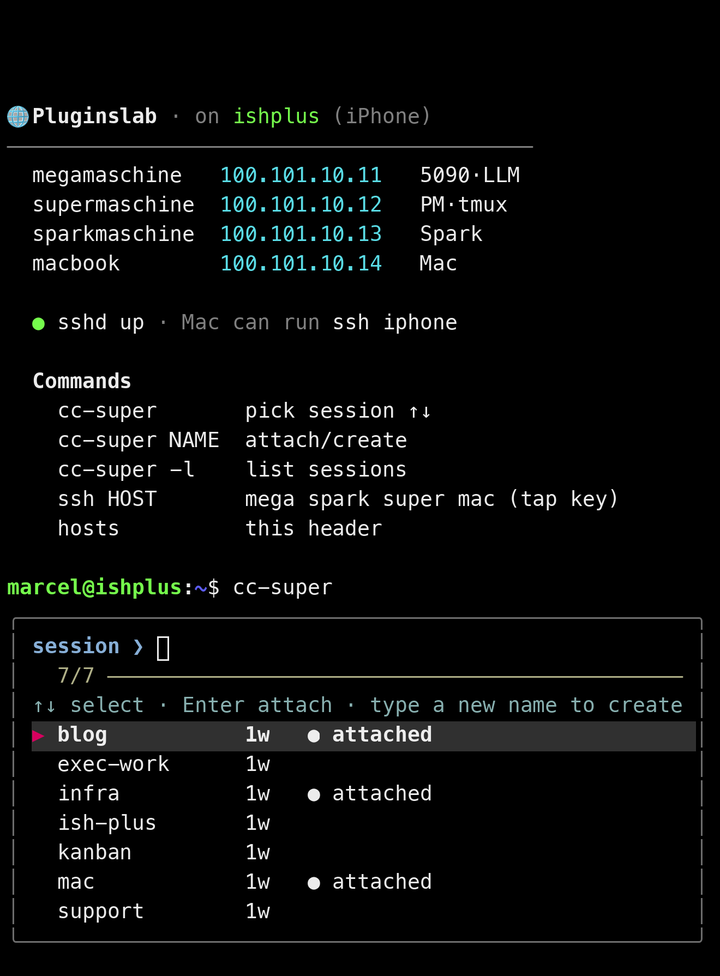
cc-supergives me an fzf picker of the tmux sessions on my server. Arrow keys, enter, and I'm in the Claude Code session where I left it.- A login header lists my machines, and
ssh mega,ssh spark,ssh super,ssh mactake me to each one. - My Mac can reach the phone too: iSH+ shares Linux's SSH port on the network, so
ssh iphonegoes straight over Tailscale.
The part I didn't expect is the YubiKey. Every SSH login in my lab needs a hardware key, and that rule usually excludes phones. iSH+ bridges the iPhone's NFC reader into Linux as a FIDO device, so ssh inside Ubuntu asks for the key and I tap it on the back of the phone. No software key on the phone at all.
I don't know of another iOS terminal that does that.
How Johnny built it in a day
Johnny built iSH+ with Claude Code. The first version that booted took about a day, and the hardest parts were not where I would have guessed.
His first attempt used his own fork of QEMU. Switching to UTM's fork, which already carries years of work making QEMU behave on iOS, sped everything up, and after that the kernel finally booted.
Then came JIT.
There were tons of memory allocation issues, and I had to take a lot of tricks from UTM to get it actually properly booted. Pairing itself was not too hard.
The way it works now: a small helper inside the app uses StikJIT to attach a debugger to iSH+ through LocalDevVPN, and serves QEMU's requests for executable memory. On iOS 27 the app can pair with the device itself, so there is no computer involved. The ideas come from Madeira and StikDebug, and the README credits all of them.
The rest is plumbing that makes it feel native. The distribution's own init doesn't run; iSH+ boots its own from a support disk. virtio channels carry the clipboard, Shortcuts commands and open ports between Linux and iOS, and DNS goes through the iOS resolver so VPN names work.
What we got wrong
I was the first heavy user, so most of the early bugs came from my phone. Each became a GitHub issue, and each was fixed within hours.
My first install couldn't see the YubiKey. The NFC sheet never appeared, and ssh said "device not found". The app was signed without the NFC Tag Reading capability, which iOS needs before an app can talk to a security key.
The second login always failed. The first tap worked, the next host failed. iOS refuses a new NFC session if you start one too soon after the last one closed. I sent a pull request that waits out the cooldown, and it shipped in 0.2.2.
Switching off Automatic Memory froze the app. A settings table reloading itself in a loop. I pulled the crash log over USB, filed it, and it was fixed the same morning.
I asked for a feature he decided not to build. iSH+ needs LocalDevVPN for the moment it switches JIT on, and I use Tailscale, so I asked for a built-in tunnel. Johnny measured it against what it would cost users: another VPN profile, another entitlement. He shipped a Shortcut that swaps the VPNs around instead. He was right.
I built a reverse SSH tunnel I didn't need. My first setup had the phone open a tunnel to my Mac so I could get back in. iSH+ already shares ports on the network. After a reinstall I deleted the tunnel and its key.
Install it
iSH+ is sideloaded. The easiest way is to add its source to SideStore, which also gives you updates:
https://raw.githubusercontent.com/johnnydevelops/ish-plus/main/source.jsonThe README has a one-tap link, and the same source works in AltStore and Feather. You can also download the .ipa from the releases and use any sideloader.
Then:
- Install LocalDevVPN and turn on Developer Mode.
- Open iSH+, pair it with the device (on iOS 27 it does this itself), choose a distribution and create your account.
- If you use Tailscale or another VPN, add the iSH+ JIT shortcut during setup. It switches to LocalDevVPN while JIT turns on, then back.
iSH+ needs iOS 26 or later. Two features need a paid Apple developer account: more memory for Linux, and security keys over NFC. For NFC, the README suggests a sideloader that keeps the app's entitlements, such as Sideloadly or Feather with your own provisioning profile. That works. You can also enable NFC Tag Reading on the app ID in your developer account and reinstall, which is what I did with iloader.
How to help
iSH+ is open source under the GPL, and Johnny welcomes all of it: issues, pull requests, and testing.
If you find a bug, the most useful issue has the steps to reproduce it, your device and iOS version, and the log from the app. If you want a feature, say what you are trying to do, not only what you want built; my JIT tunnel request is a good example of why. If you have an iPad or an older iPhone, testing on it helps more than you think.
The repository has the build instructions if you want to go deeper.
I've used a lot of terminal apps on iOS. This is the first one where I forget I'm on a phone.
Links: iSH+ on GitHub · Johnny on GitHub · iSH · UTM · QEMU · FEX · StikDebug · SideStore
Tags: iOS, Linux, Claude Code, Developer Tools, tmux